Facebook Pinterest Instagram Bloglovin' Teachers Pay Teachers Image Map
Showing posts with label Technology. Show all posts

Integrating Technology (with The Friendly Teacher)


We use technology daily in my room. We have both chrome books and iPads and love both! One of my favorite ways to use technology is through book clubs.

I love having book clubs in the classroom. I love when students are reading books that they enjoy, but also reading them with their friends. What I hate about book clubs is all the copying for the different groups. So, I changed to all digital book clubs!

My students will read their pages for the week and then complete a book club sheet on their Google Drive. Each week I have students read a certain amount of pages and work on the skill that their group needs to focus on. Then, when they come to meet with me they bring their computer and book. We discuss what they read and then focus on that specific skill. Before they leave I will teach them the skill they will work on next week and give them the assignment!


The best part is all I have to do is post the different sheets on my Google Classroom. Gone are the days of copying five copies of all these different types of paper! Students are much more motivated because they love using the computers! Also, with computers you can add more color which adds engagement for kiddos!

Here is a kiddo completing the point of view assignment after reading their book club pages!


Integrating Technology {ALL Y'all Need}


Integrating Technology in Pre-K

My class is obsessed with our Letter of the Week iMovie productions! It's a quick and engaging way to assess your students' knowledge of letter identification, beginning sounds, and capital/lowercase differentiation. I'll show you how to use iMovie with your students. First, here's an example:
Please note that I did edit one of our class iMovies for a preview. Most iMovies contain pictures of my students.

Activities Day-by-Day: 

Monday and Tuesday - Investigate the letter via books, songs, etc... Use your usual teaching tools.
Pretty easy so far, huh? Nothing new needed.
Wednesday and Thursday - Have your students walk around your classroom or school and take pictures of letters and objects that begin with the letter of the week. Send all of the photos via Dropbox- more on that below- and put them in whatever order you would like on iMovie.
Friday: Have a viewing party and watch the iMovie. The kids will want to watch it several times.

Don't feel discouraged if you don't have a class set of iPads or any iPads at all! Just use your iPhone! The students could search for objects and raise their hand once they have found their object/letter. Then, you'd just have to send them iMovie. I did this at the beginning of the year and it worked perfectly.

How to Set Up and Use Dropbox:

I have 1:1 devices, so I share all of the photos via AirDrop. However, our AirDrop is sometimes locked. Then we use Dropbox. I just send them to myself during nap time or after school. You can teach your kiddos to share photos via Dropbox....IF YOU'RE BRAVE! ;)

If you don't have Dropbox, go here to create an account. It's really easy and only takes 2 minutes max.

If you already have a Dropbox account, just make sure you sign in.


How to Make a 1-Minute iMovie: 
(video)

Reasons why I love Letter of the Week iMovies:
  1. The kids are completely engaged!
  2. Technology! Technology! Technology!
  3. The students feel a sense of pride because they are taking ownership of their learning!
  4. They get to yell, "That's what I found!" really loudly while the other students cheer.

Integrating Technology into Upper Elementary


This is my first year as a full-time technology teacher but I know the struggle is real when trying to integrate technology. Time is tight and it can be a hassle at times to fit it all in! However, the best part of technology is that it is super engaging and can enhance ANY lesson. Today I want to share with you guys how to integrate coding into a math geometry lesson. My third, fourth, and fifth graders LOVED this lesson! I even created a video lesson for you to share with your class!


I created this lesson as an enrichment lesson to get students practicing angles, coordinates, and geometry. I decided to focus on squares and rectangles and then challenge my students to create other shapes on their own. Here is the video lesson that you can share with your students.


I also created a spirograph lesson that is the follow-up to this lesson. My students were super creative and created some awesome spirograph designs using shapes and angles. I will definitely create a video of that for you guys in the near future.


I love using Scratch in my classroom with my students. I would love to hear how you use Scratch in your classroom.

Integrating Technology in the Primary Grades


Technology is one of my absolute favorite things in the classroom. I try not to overdo it because they shouldn't be dependent on technology. So, today I'm super stoked to bring you my TOP THREE ways to integrate technology in the classroom using powerpoints.

Interactive Powerpoints

This is one of the simplest ways to incorporate a form of technology and possibly another piece of technology if you have the tools. If not, you are able to use non-technology tools. All you need is Powerpoint for this to work!


My kids have LOVED every second of working with interactive powerpoints. We use them in math and in reading. This particular one was earlier in the year when we were reviewing short vowels. They had to write the beginning sounds for each picture and it reveals a secret word. We use this same method to practice our sight words, phonics skills and MORE! What's the super fun part about it? We use the Doodle Buddy app to write our words. There is something about that app that is WAY more exciting for them. We do switch it up and use whiteboards, but they really prefer this way.


Timed Powerpoints

This is also one of my FAVES! I especially love this when I have a doctor's appointment or a meeting and have a sub in my classroom. My reading block runs on a powerpoint and works like clockwork. It keeps me on track to what we should be doing.


Under certain slides, I've set them to a timed transition. You can do this under the Transitions menu. Just change the time (add a sound if you'd like). I add a YEE-HAW sound. This signals that we need to clean up and then they move to their next Daily 5. It work FLAWLESSLY. I keep my group that I have for about 2 more minutes while everyone is cleaning up. That normal wasted time isn't wasted anymore because we keep working. We are usually finishing up our book/story right at the end.

iPads as Digital Portfolios

I know some schools do not allow teachers to add apps. In this case, you're actually in luck! If you aren't allowed to add your own apps, you can STILL use any number of iPads in your room as a digital portfolio. Allow your students to use something with their name on it. In the past, I used a laminated picture of them and their name. They took their "license/id" and placed it by their work. Then, they grabbed an iPad and took a picture of their work. Later, I moved their pictures into folders with all of their work. Super easy! This way, I still know who's work belonged to who and the only thing I had to do was make a card with their name and picture on it. I used their folder of pictures to use during conferences. I didn't have to keep as many hard copies of work as I've had to in the past.


Ideas to Get Your Kids Moving


How do you get your kids moving in your classroom besides GoNoodle and all the other normal brain breaks? Do you try to incorporate moving while they are working? Well, one thing that I've implemented with my kids is a timed Stretch break multiple times during our day. It lasts ONE minute and literally helps to get them up and then back to work. It doesn't matter what we're doing, but they stop and stretch. How does it work? Here's how:

During our Daily 5/Small Group time, I have it on a PowerPoint. It is timed to keep me on schedule. If not, I'll take too much time and usually end up missing a group. I try to see all of my kids every single day and the timed PowerPoint keeps me on track. Well, our rotations are usually about 20 minutes each. For some of my kids, that is WAY too long. Their brain needs a break. Without leaving where they are, the PowerPoint changes slides after 10 minutes. It shows the "STRETCH" slide. I have a sound set when it changes so everyone knows to look at the Smartboard. The sound is a little ding when it's time for a stretch. I have it set to YEE-HAW when it's time to switch places.


GAME CHANGER. This is an up-close of their rotation. This is one of the days I needed to pull kids individually so no one came to me as a group.


My kids use that one little minute to quietly stand up and stretch. During our calendar time, they've learned a ton of body stretches. This has come in handy because they have a lot of stretches that they can do within this quick minute. Our favorite is the neck roll which they named "Bobble Head" this year. We roll our neck around and then switch and do the other side. They do this on their own. I honestly have zero research about this, but my kids are SO focused with just this super tiny break inserted.

Here's what our stretch slide looks like up close. Nothing special. It could even just say the word stretch to signal that it's time for a break.


We only add in a stretch every other rotation. The results are amazing! Try it with a chime or some time of signal and watch how it works. That's how we get in a little bit of moving without actually leaving our Daily 5/center area. It's quick, quiet, and gives them back the needed focus on their task.


It's SUPER easy to do on your own. Just have your powerpoint rotations up and click on transitions. You can set how long you want each of the slides to be. I duplicated the rotation slide since they were going back to the same thing after their stretch time.


Unclick the 'On Mouse Click' and make sure there is a check in the 'After' box. Then, set your time. That's it!


Amazon Prime Teacher Shopping Finds


I know that you may have heard so much about Amazon Prime, but it really is AMAZING. And yes, there are great deals on books, but there are so many other great teacher tools as well. 

First grade technology

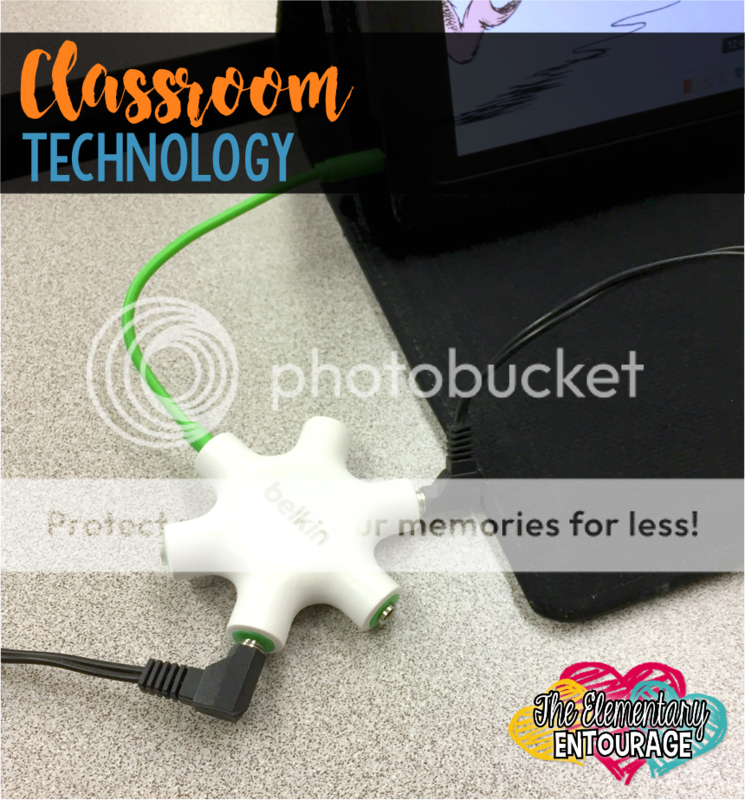
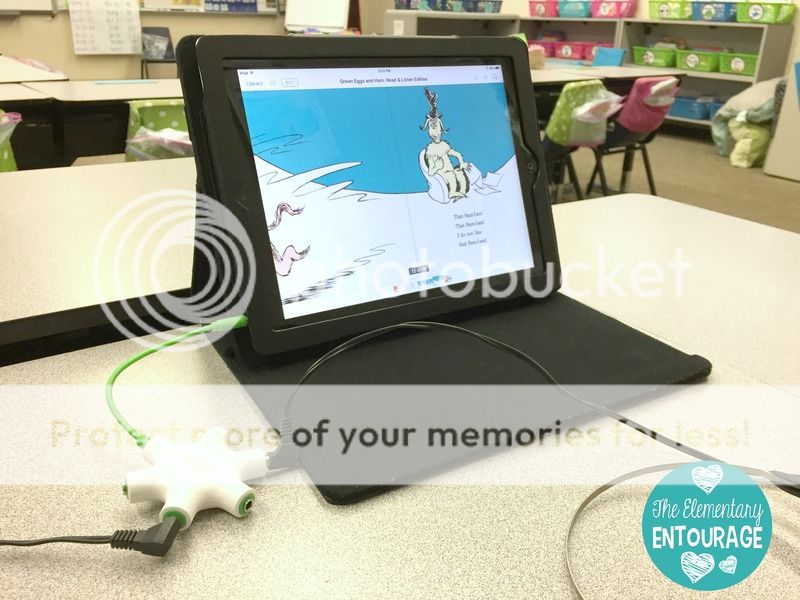
Technology is definitely a big part of our lives and our students' lives. I'm not at a 1:1 school site, so I'm constantly trying to make use of the 5 iPads that belong to my class. I found this headphone splitter a few months ago. IT'S THE BEST! I'm able to allow up to 5 students to listen to a read aloud, while other students are able to use the remaining iPads. Click {HERE} to check it out. 

Amazon Classroom
Belkin Rockstar Multi Headphone Splitter 

First grade classroom

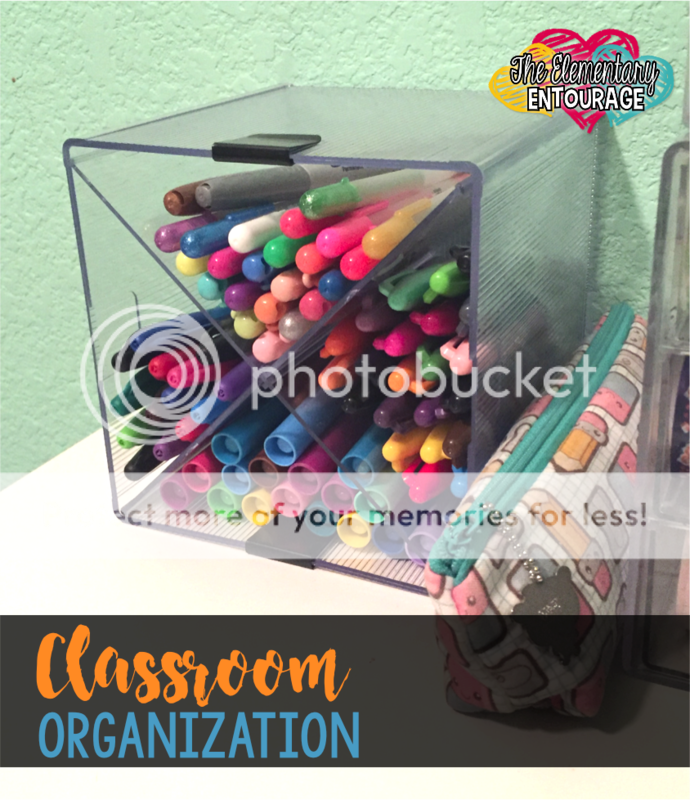
Amazon has helped me with classroom organization, which is crucial for a teacher's sanity. We have so many pens, pencils, clips, and notepads to keep track of. I found this cube to organize my pens. Click {HERE} to check it out. I also used a sunglass organizer for supplies. Although I feel like the price keeps going up on it. Want to see it? Click {HERE}.

classroom staples

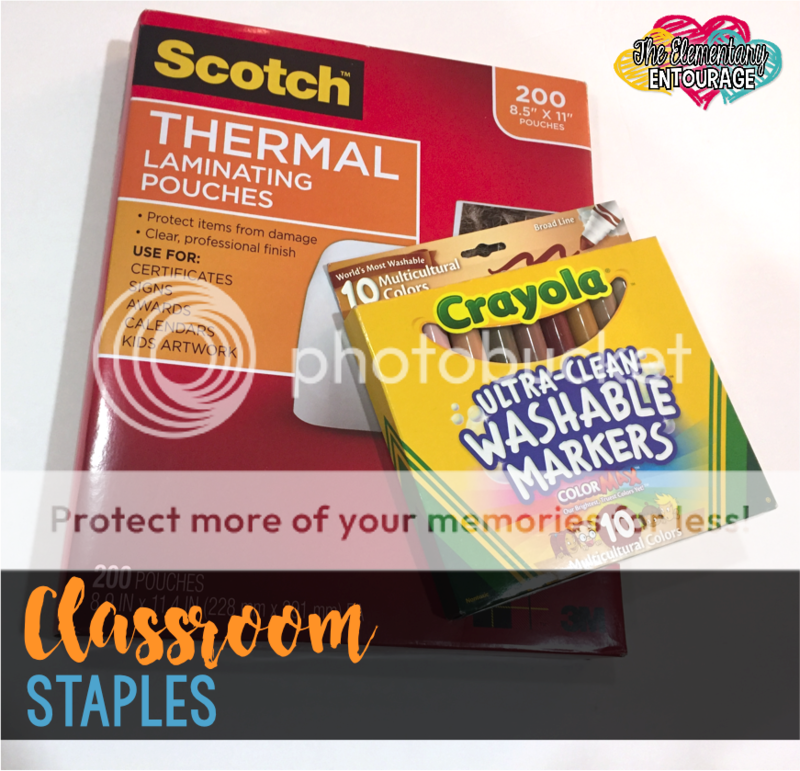
The main reason I LOVE AmazonPrime is because I can get my classroom staples speedy fast. Out of your favorite markers? No problem. There's a even chance you may be able to get your items the same day. Including the most important teacher find... COFFEE. I buy mine in bulk. 60 K-cups. Yes, please! #coffeeaddict

Have you found some awesome teacher goodies on Amazon?! Please share them below or find me on Instagram! I'd love to check them out. 

Happy shopping!


SaveSave

Top Ways Technology has CHANGED Teaching!


2004 till now! Wow! How my life has changed as an educator... A little time travel my mind has gone on. I've changed from...

  • Kindergarten Teacher
  • 5th/4th ELA Split Teacher
  • 2nd Grade Teacher [Inclusion and Co-Teach]
  • 3rd Grade Teacher
  • Title I Reading
  • Reading Specialist
  • Literacy Coach
  • Currently: 5th Grade ELA Teacher / Co-Teach

So you can imagine the changes just in positions, states, counties and schools! Everyone has their own way of doing things and their own version. I feel those changes are harder for me because I always have the "I'm new" feeling.

But, in my career as an educator there have been some HUGE changes in instructional resources and tools. But, there have been some things that have never changed like what good instruction really is. I've only improved my instruction over the years with the help of time, resources, tools, approaches, professional development, great mentors and more!

It's pretty simple in my mind, education is just like the rest of the world. It's going to continuously change, but great educators will always give great instruction!

A few examples of what instruction HAS NOT CHANGED in my current life:

  • Readers Workshop [mini lesson, work period, closing]
  • Guided Reading [skill and strategy groups too]
  • Conferencing with students
  • Variety of lessons to reach all learners on the same standard
  • Language Instruction
  • Morning Meeting
  • Character Lessons
The list can go on. What I mean is, I started out doing these things and I still do them today. I've only improved my craft [or trade] over the years based on everything a variety of experiences. But, what else has made me better was the HUGE change in our world that affected education. Technology! 


Think about it, yes we have technology in our schools now that is more sophisticated for students to do research with, learn from and learn with. But technology has improved how we prepare for instruction and how we deliver instruction. I mean I had the printer with the paper that had perforated lines and computer with floppy disks. We didn't use technology to help us prepare our lessons, we did it all by hand. 

Here's how technology has helped me with instruction:
  • Teachers Pay Teachers
  • Google Docs and Drive
  • Planbook
  • Powerpoint
  • Apps
  • Blogs and Websites
  • YouTube and Teacher Channel
  • Video Capabilities
  • Photographs with phones, tablets, computers
Technology has also changed in the room that helps me deliver my more sophisticated instruction:
  • Overhead Projector vs. Document Camera
  • Chalkboard vs. Smartboard
  • Old Desktop Computer vs. Laptops & Tablets
  • Plug In Listening Station vs. Laptops & Tablets
The list can go on and on. I am so grateful for these items in my current classroom that help me deliver instruction and provide a 21st Century Learning environment. But, I am more grateful in the advances of technology that has helped me prepare better lessons for instruction and has helped me learn more about doing my craft better!

Technology has improved in becoming 21st Century Thinkers and Learners:
  • Texting! It's like a new language and communication.
  • Social Media! It's a new form a written text making critical stances plus using speaking and listening skills.
  • Audience! It's larger than just those seats in the classroom!
  • Online portfolios!
  • Online project presentations!
  • Interactive books!
  • Ebooks!
  • Voice Recognition software!
  • Extended Classroom Communities!
  • Differentiation!
  • World-Wide Web!
  • It's completely extended beyond the classroom walls!
  • Larger collaboration!
and more! Don't be afraid to dive in! Technology is a tool that improves our instruction and students learning!

Teaching Then & Now w/Tickled Pink in Primary

THEN: When I first started teaching, we did a lot of worksheets that came with our reading and math programs. They were VERY boring! Students weren't near as engaged as when I let them do actual hands-on centers, but unfortunately these worksheets or boring whole group lessons were a major part of our day. 
NOW: Thankfully things have changed, so we now do alot more small group work and students get more center time. We have now learned that it's important to have more engaging activities for students and let students learn from each other by working in groups. I created my Physical Phonics Word Work activities to give students a chance to work on phonics skills in a fun active way. This student is stomping out the number of sounds he hears in a word.
One of my favorite activities that I've made are my Fluency & Fitness sets. These are a fun way to work on literacy and math skills, yet students are able to get out of their seats while learning. It's also a way to incorporate technology which we know if very important now. Teachers love using these for learning time, transitions, brain breaks, and even indoor recess. 
Here's a sneak peek of Fluency & Fitness.
THEN: Speaking of using technology, look at how my old listening center used to be. Those headphones were HUGE and uncomfortable. I'm glad technology has come a long way so students can use iPods and iPads to listen to books now. 
NOW: Most schools are incorporating technology now and providing laptops or iPads for students to help them learn better.
THEN: As I was going through old files for this post, I found this old Kindergarten assessment. These were the skills we used to test students on for the year. That was back when we let kids be kids more and not put SO much pressure on them! 
NOW: Now Kindergarten students don't just have to be reading, but reading at a level D by the end of the year at our school.  I know many students are able to meet these high expectations we set for them, but I do wish we incorporated play more and were able to do more developmentally appropriate activities. 

SaveSave

Sensational Science {with iTeachSTEM}

Quick review...
iTeachSTEM.
Like, every day, every class.
STEM.
So could this topic be any more perfect for me to blog about?!?
Students complete different interactive notebook templates and review sheets to help further solidify their understanding of each organelle of a cell and it's role in the plant and/or animal cell.
Absolutely!
And you'd think I would find it easy, right?
But noooooooo.
Leave it to me to struggle trying to narrow down what I actually want to share with you wonderful readers.

I've been brainstorming ideas for weeks now to no avail. My solution? The other day I asked my students to write an informal essay telling me what their two favorite units from fifth grade science were and WHY they liked them so much. #worksmarternotharder

The top three units were...
It's a whole lot easier to make a choice when it's narrowed down to THREE instead of "everything I've ever taught in science"...

So today I share some of the fun ways I teach about plant and animal cells.
Honestly, it's one of the first units I teach each year and I really DO love it.
Students complete different interactive notebook templates and review sheets to help further solidify their understanding of each organelle of a cell and it's role in the plant and/or animal cell.

Here's the catch, though...
My fifth graders have already LEARNED about cells in fourth grade. The only difference is that in fifth grade we add in the mitochondria to the list of organelles. I hate to literally repeat what students have done in the past, so I try to find creative ways to review what they (should) already know from FOURTH grade before "digging deeper" into the cell and what they should know in FIFTH grade.

I like to start my unit on cells by asking students to classify cells as either plant or animal cells based on the structure of each cell. In fifth grade, that means understanding that a plant cell has three specific differences from animal cells.

1. A plant cell has a cell wall that provides structure and added protection to the cell.
2. A plant cell has chloroplasts filled with chlorophyll where energy from the sun is used to create food for the cell through photosynthesis.
3. A plant cell usually has 1-2 larger central vacuoles rather than many smaller ones as in animal cells.
Usually after a think-pair-share, we are able to complete the notebook pages shown below (with a little guidance from me).
Students complete different interactive notebook templates and review sheets to help further solidify their understanding of each organelle of a cell and it's role in the plant and/or animal cell.

My students have a great time acting like Crime Scene Investigators as they try to determine which cells found at the location of an imaginary burglary are plant cells and which are animal cells. My favorite part of the CSI Challenge is that students are given actual images of plant and animal cells to work with. I have found that more often than not, students have the misconception that a plant cell is rectangular and an animal cell is a circle. They fail to look at the specific organelles. Also, most students have only had experience with drawings and/or diagrams of cells, so seeing actual images taken by an electron microscope forces them to apply their understanding in a different situation.
Students complete different interactive notebook templates and review sheets to help further solidify their understanding of each organelle of a cell and it's role in the plant and/or animal cell.

Another favorite activity for my students is "Let's Take a CELL-fie!" Come on, it's cheesy, but it's funny too! Students liked this activity because they got to work in groups to use a really cool app called "ThingLink" to create an interactive image. I liked this activity because students actually start to remember the functions of each organelle since they must select objects from home that have a similar "job" to be used in their group's "Super Cell". Here is one of the better examples of "CELL-fies" from this year.
Students complete different interactive notebook templates and review sheets to help further solidify their understanding of each organelle of a cell and it's role in the plant and/or animal cell.
If you'd like to read more about creating interactive images using ThingLink, check out this post.


I like to use lots of analogies and ask my students to do the same. I also display visual vocabulary posters on my word wall so students can reference them as needed. Each poster includes an analogy that compares the organelle's function to an other "real life" job.
Students complete different interactive notebook templates and review sheets to help further solidify their understanding of each organelle of a cell and it's role in the plant and/or animal cell.

Throughout the unit, I have students complete different interactive notebook templates and review sheets to help further solidify their understanding of each organelle of a cell and it's role in the plant and/or animal cell. I love this activity where students imagine what each cell organelle would say if it could actually talk. Students were super creative and quite accurate for the most part. Here are a couple examples of student work.
Students complete different interactive notebook templates and review sheets to help further solidify their understanding of each organelle of a cell and it's role in the plant and/or animal cell.
I love the bossy nucleus in this one: "Hey! Mitochondria! Scoot over! I control the cell! Don't do that!"
Students complete different interactive notebook templates and review sheets to help further solidify their understanding of each organelle of a cell and it's role in the plant and/or animal cell.
My favorite from this one is the cell membrane: "Party's full, dude!" since the membrane regulates what enters and exits the cell.

Students complete different interactive notebook templates and review sheets to help further solidify their understanding of each organelle of a cell and it's role in the plant and/or animal cell.
The activities from above (and a whole lot more) are included in my Cells Bundled Kit. If you'd like to take a closer look at what's included, check it out HERE.

I hate to disappoint anyone who might have been hoping that I'd share how I teach the solar system or states of matter, so here is a link to some of my favorite resources as well as the Pinterest boards where I store even more great ideas for these units!

https://www.pinterest.com/iTeachSTEM2kids/stem-states-of-matter/https://www.pinterest.com/iTeachSTEM2kids/stem-cells-photosynthesis/https://www.teacherspayteachers.com/Store/Iteachstem/Category/STEM-Solar-System-235840

I hope you found some of the ideas here inspiring, because when a teacher is excited and motivated to teach science the students also look forward to learning more about science concepts.